TESTED · 21 NOVEMBER 2026
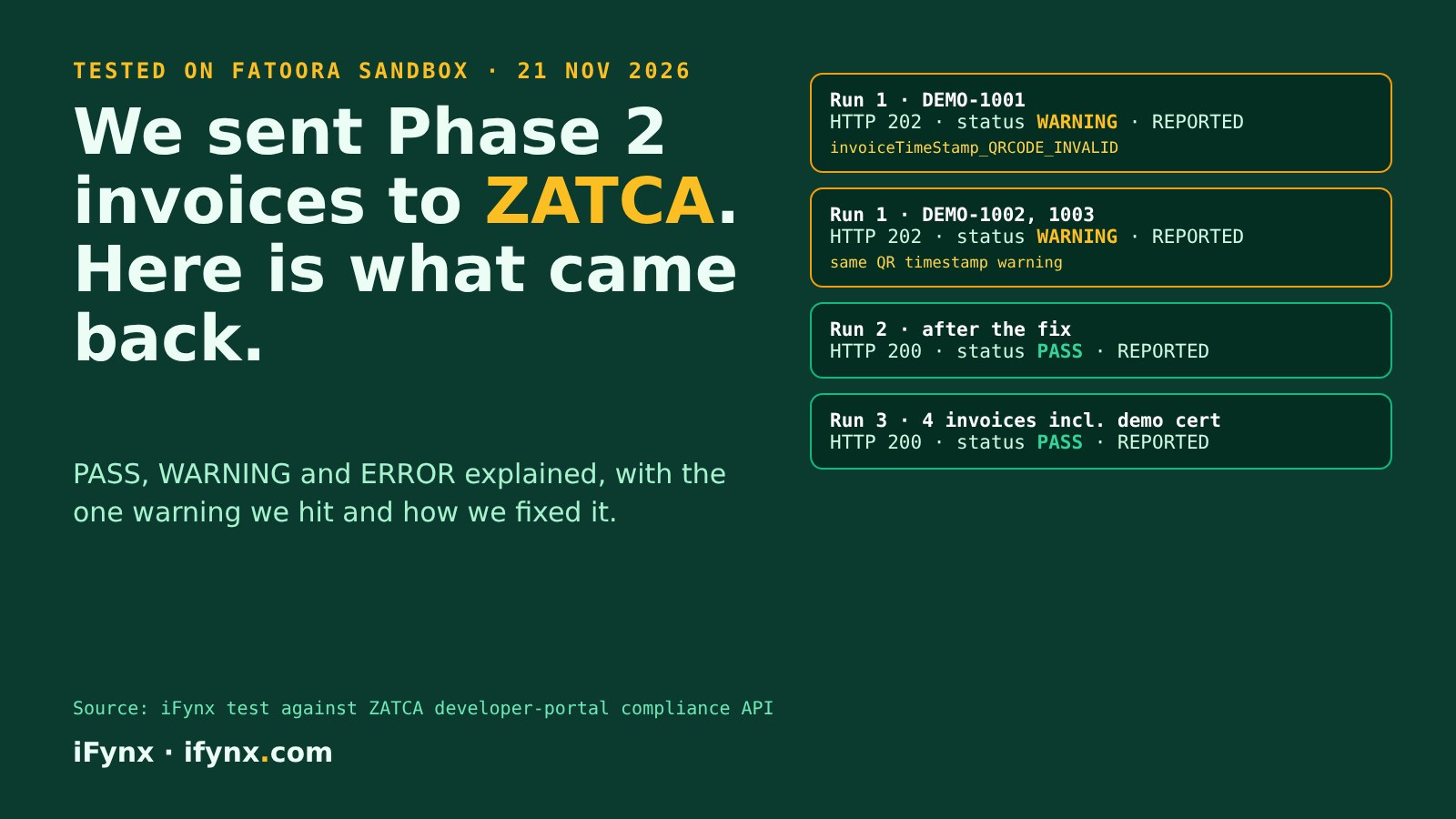
We sent ten Phase 2 simplified invoices to ZATCA’s Fatoora sandbox. The first three came back WARNING because of one QR timestamp detail; after a one-line fix, all seven that followed came back PASS.
Here is what PASS, WARNING and ERROR mean in practice, the exact warning ZATCA returned, why it happened, and a checklist so your POS or ERP passes first time. Saudi businesses in Wave 25 must integrate with Fatoora by 1 February 2027 (ZATCA announcement).
At iFynx we build software for Saudi and Gulf businesses, and we just built a live ZATCA Phase 2 invoice demo. Before putting it online we tested its engine against ZATCA’s own compliance API. This is the first-hand record of that test, written for developers, product owners and finance teams preparing for e-invoicing integration.
What did we test, exactly?
We used ZATCA’s developer-portal sandbox, the environment ZATCA provides for developers to try integration before touching real data. The flow had three parts:
- Onboarding: we generated a secp256k1 key and a certificate signing request (CSR) for a fictional demo store, then asked the sandbox’s compliance endpoint for a certificate with the published test OTP. The sandbox answered
ISSUEDand returned a certificate and an API secret. - Invoices: our engine built UBL 2.1 simplified tax invoices with Arabic and English item names, computed the invoice hash, signed it, built the 9-field QR code, and chained each invoice to the previous one with the invoice counter and previous invoice hash.
- Validation: each invoice went to the sandbox’s
/compliance/invoicesendpoint, and we recorded the HTTP status, the validation status and every message.
What came back: our response log
| Run | HTTP | Status | What happened |
|---|---|---|---|
| Run 1 (3 invoices) | HTTP 202 | WARNING | All three REPORTED. One warning each: invoiceTimeStamp_QRCODE_INVALID. |
| Run 2 (3 invoices) | HTTP 200 | PASS | After the QR timestamp fix. All REPORTED, no warnings. |
| Run 3 (4 invoices) | HTTP 200 | PASS | Three chained invoices plus one signed with the certificate our public demo uses. All REPORTED. |
The only problem in ten invoices was one warning, repeated in each invoice of the first run. Signatures, hashes, invoice chaining, VAT totals and the XML structure raised nothing.
What do PASS, WARNING and ERROR mean?
PASS
Accepted, nothing to fix
The invoice met every validation rule. A simplified invoice comes back as reported; your system stores the response and moves on.
WARNING
Accepted, but fix it
The invoice is accepted, yet something deviates from the rules. Warnings are easy to ignore and should not be: fix the cause before go-live, because the same field can be a hard rule elsewhere.
ERROR
Not accepted
At least one rule failed. The invoice is not reported or cleared, so it must be corrected and sent again. Never hand a rejected standard invoice to a buyer.
One detail that surprised us: the warning responses arrived with HTTP 202, while clean ones arrived with HTTP 200. If your code only checks for 200, it may treat a warning as a failure; if it only checks for 2xx, it may silently ignore warnings. Read the validationResults.status field and the message lists every time.
Why did we get invoiceTimeStamp_QRCODE_INVALID?
ZATCA returned this message for each invoice in the first run:
invoiceTimeStamp_QRCODE_INVALID:
Time on QR Code does not match with Invoice Issue Time (KSA-25). If ZATCA's SDK was used to generate QR Code, kindly use the latest version of SDK
Tag 3 of the Phase 2 QR code carries the invoice date and time. Our XML said IssueDate 2026-11-21 and IssueTime 20:21:42, but our QR value was 2026-11-21T20:21:42Z, with a trailing Z (the UTC marker) that the XML did not have. The values describe the same moment, but ZATCA compares them as they are written. We removed the Z so the QR value matches the XML exactly, and the next run was clean.
The lesson is wider than one letter: derive every QR field from the final XML, not from separate variables, so the two can never disagree.
A checklist so your system passes first time
Before you onboard production devices
cbc:IssueDate and cbc:IssueTime. Do not take it from a second clock call, and do not change the format between the two.ext:UBLExtensions, cac:Signature and the QR reference, canonicalised (C14N 1.1). Pretty-printing or re-indenting the XML after hashing breaks it.validationResults for every response, alert on any warning, and fix it in code before onboarding production devices.Try the same engine yourself
The engine we tested now runs in the iFynx ZATCA Phase 2 demo. Fill in a store and items, issue an invoice, and see the XML, hash, signature and decoded QR fields, then issue the next invoice and watch the chain. It runs in your browser and sends nothing. Not sure if Wave 25 applies to you? Our Wave 25 checklist has a quick wave checker.
How iFynx can help
iFynx connects existing systems to ZATCA Fatoora: POS, ERP, Salla or Zid stores, and custom web or mobile apps.
- Onboarding: keys, CSR, compliance and production certificates per device or server.
- Integration service: signed XML, QR, invoice chaining, reporting and clearance, retries and monitoring.
- Sandbox testing with your real invoice shapes before go-live, with source code and documentation handed over.
Try the live demo · Talk to iFynx · Estimate your project cost
Frequently asked questions
What does WARNING mean in a ZATCA compliance response?
The invoice was accepted (in our test it came back REPORTED with HTTP 202), but at least one rule produced a warning. Fix the cause before you go live: a warning means your system is producing data that does not fully match the rules.
What does invoiceTimeStamp_QRCODE_INVALID mean?
ZATCA’s message is: “Time on QR Code does not match with Invoice Issue Time (KSA-25). If ZATCA’s SDK was used to generate QR Code, kindly use the latest version of SDK”. The date and time in QR tag 3 must match the invoice’s IssueDate and IssueTime. In our case we had added a time-zone letter to the QR value only; removing it made the warning disappear.
Is a WARNING invoice still valid?
In our sandbox test, invoices with a warning were still reported. That does not make the warning harmless: treat it as a defect and fix it before production onboarding.
What happens when the result is ERROR?
The invoice fails validation, so it is not reported or cleared. Correct the data and submit it again. For standard (B2B) invoices, do not send the invoice to the buyer until it is cleared.
Can I test ZATCA e-invoicing without a real company?
Yes. ZATCA’s developer portal sandbox issues test certificates with a published test OTP, so developers can try onboarding and invoice checks. Certificates from it are not valid for real invoices.
Where can I see a Phase 2 invoice being built step by step?
Try the live ZATCA Phase 2 demo on iFynx: it builds the XML, hash, signature and QR in your browser with the same engine we tested here.
Related reading
- ZATCA Wave 25: what product and engineering teams must ship before 1 February 2027
- UAE e-invoicing: the ASP deadline and a product checklist
Checked at 21 November 2026, 20:23 UTC (22:23 Gaza). Test environment: ZATCA developer-portal sandbox (not production). Sources: our test run logs; ZATCA Wave 25 announcement.
Every Sunday: the most serious confirmed CVEs and breaches, who is exposed in Saudi Arabia, the UAE and Egypt, and what to patch first. Free, in English and Arabic, one-click unsubscribe.
✓ You’re subscribed. A welcome email is on its way; the first issue arrives on Sunday.