A Codes tab of its own
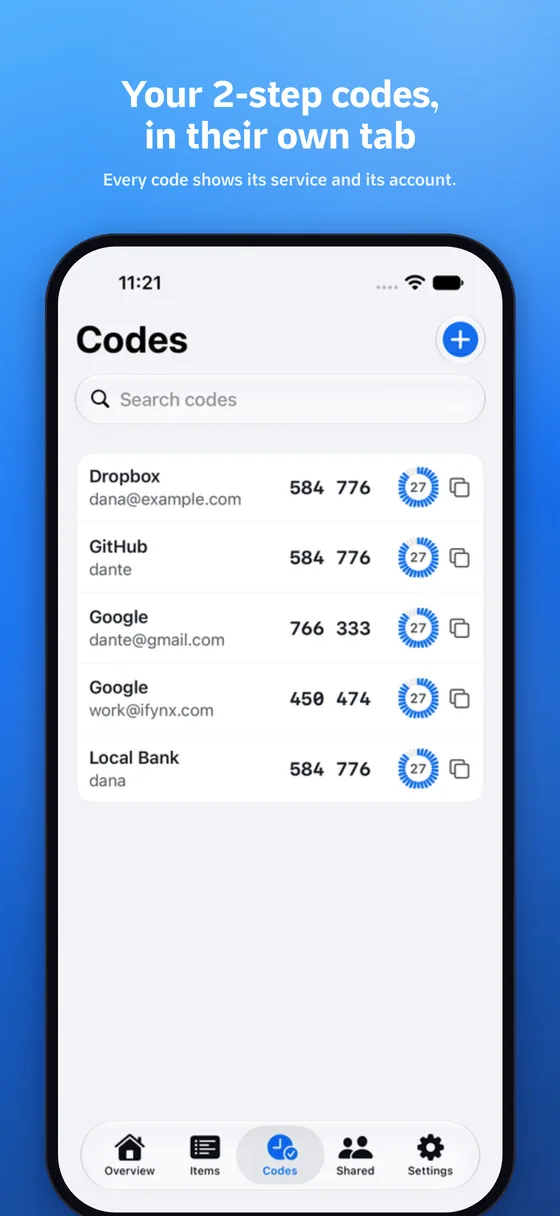
Two-step codes now have their own tab on iPhone and their own place in the Mac sidebar. Every code shows its service and the account it belongs to.
 FreeZero knowledge
Passwords, passkeys, cards, notes, files and one-time codes, encrypted on your device with your master password before they sync. Our servers only ever see sealed data.
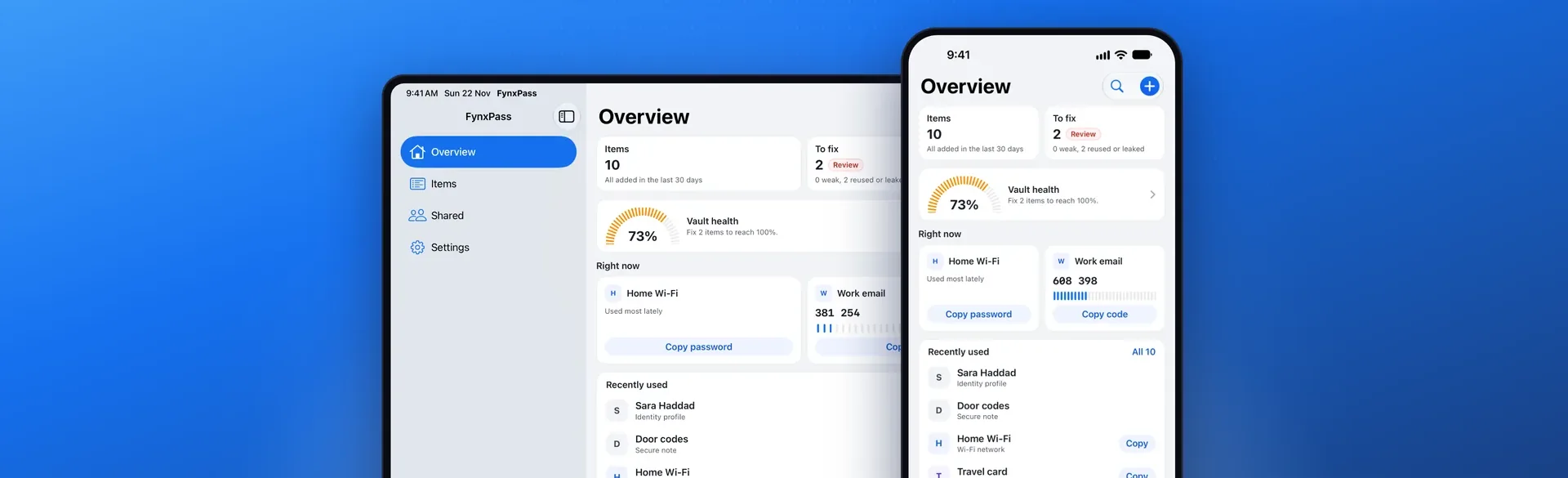
FynxPass keeps moving. This is what landed in the latest builds, up to build 29 at the end of November 2026.
Two-step codes now have their own tab on iPhone and their own place in the Mac sidebar. Every code shows its service and the account it belongs to.
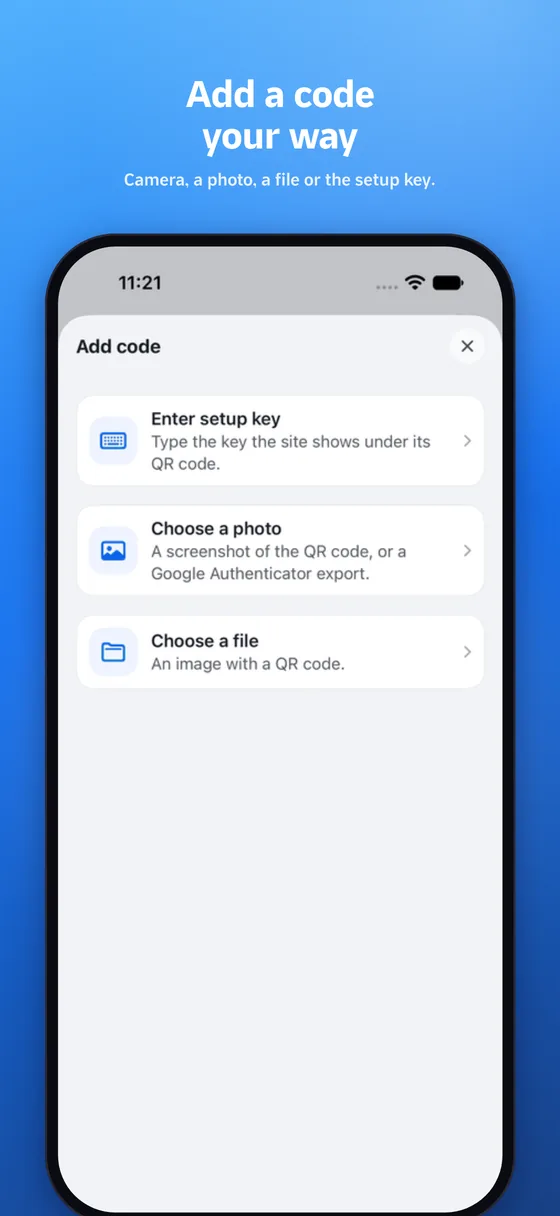
Scan the QR code with the camera, pick a photo or a file, or type the setup key. Codes exported from Google Authenticator come over too.
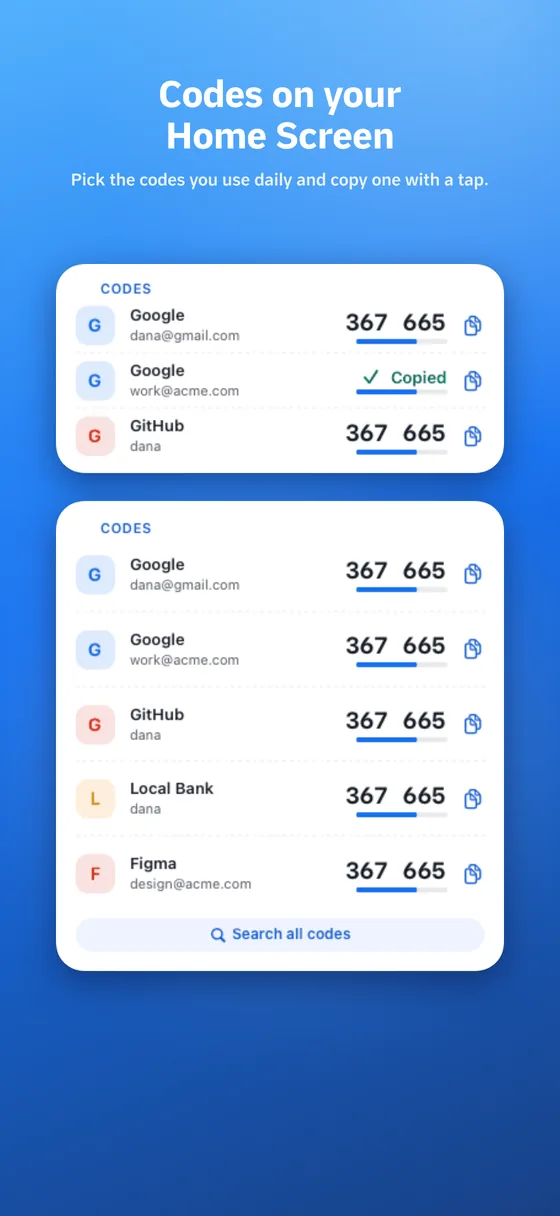
Put the codes you use every day on a widget and copy one with a tap. It is off until you turn it on, and you choose which codes appear.
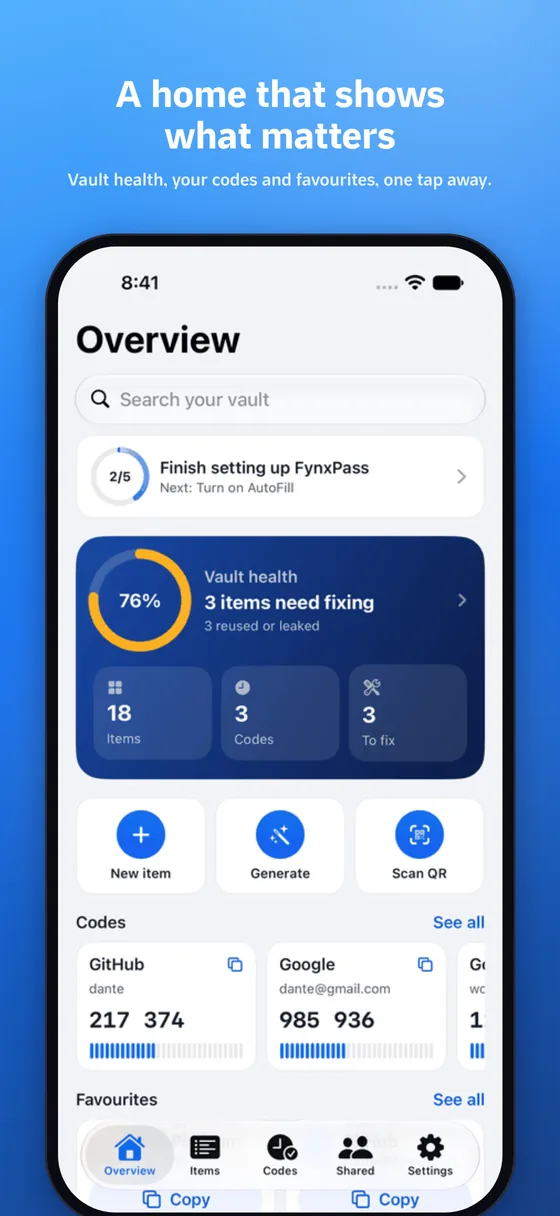
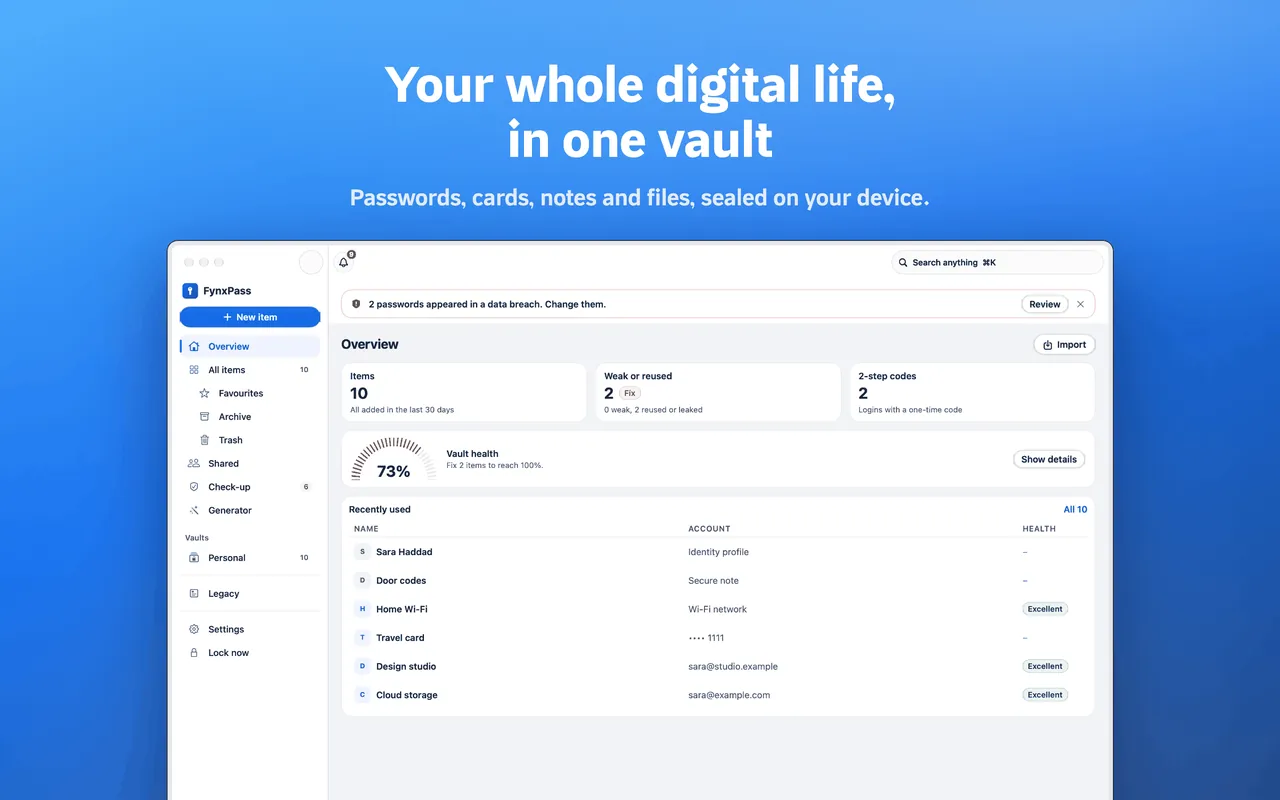
Vault health, what needs fixing, your codes, favourites and recent items, with New item, Generate and Scan QR up front.
On the Chrome Web Store for Chrome, Brave, Edge, Arc and Vivaldi, and on Firefox Add-ons. Safari is built into the Mac app. Each browser shows its true state: not linked, locked or connected.
It tells a username from a current password, a new password and a code, offers a strong password only where a new one belongs, and was checked on 15 real sign-in pages.
Create and sign in with passkeys in FynxPass. Registration and sign-in were tested end to end.
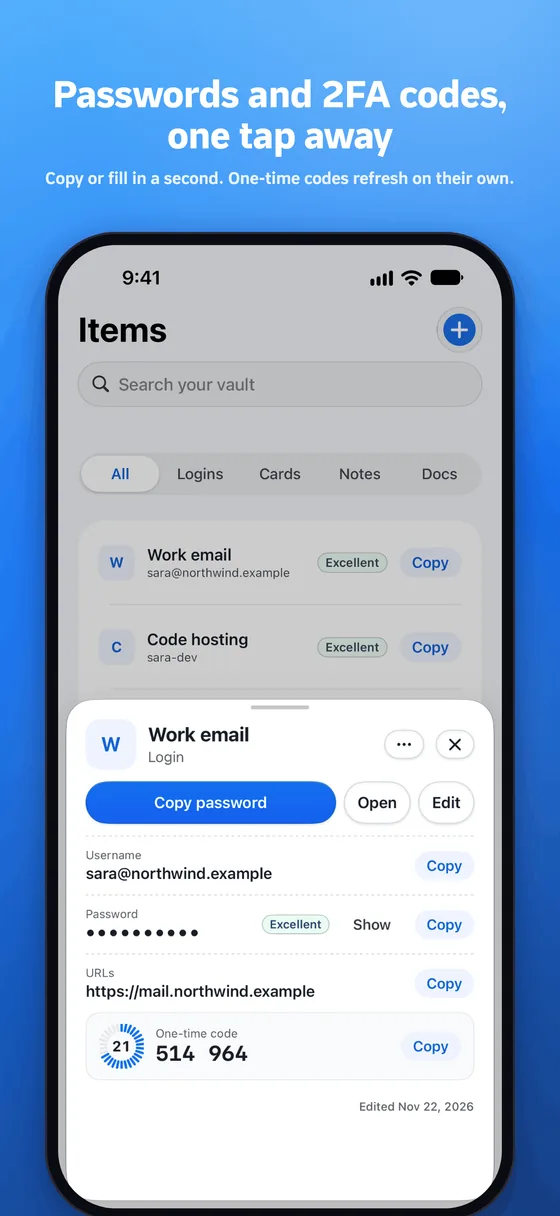
Two-factor codes fill in with the password, and otpauth links add a code in one tap.
On the Mac: search first, one-time codes as tiles with their ring (click to copy), pinned items, and New, Lock, Open.
Moving from another manager? Duplicates are found for you: Skip, Replace or Keep both, once or for all.
On the Mac, a real fingerprint match is required before the vault opens, in the app, the browser and the command line.
On iPhone, a revealed password is hidden from screenshots and the app is covered in the app switcher. On the Mac, FynxPass windows stay out of screen captures.
Every signed-in device with when it was last active. This device says Active now.
Built by iFynx in Palestine, for people who want their secrets kept and their family looked after.
Your vault is encrypted on your iPhone, iPad and Mac. The master password never leaves your device, and not even iFynx can read your data.
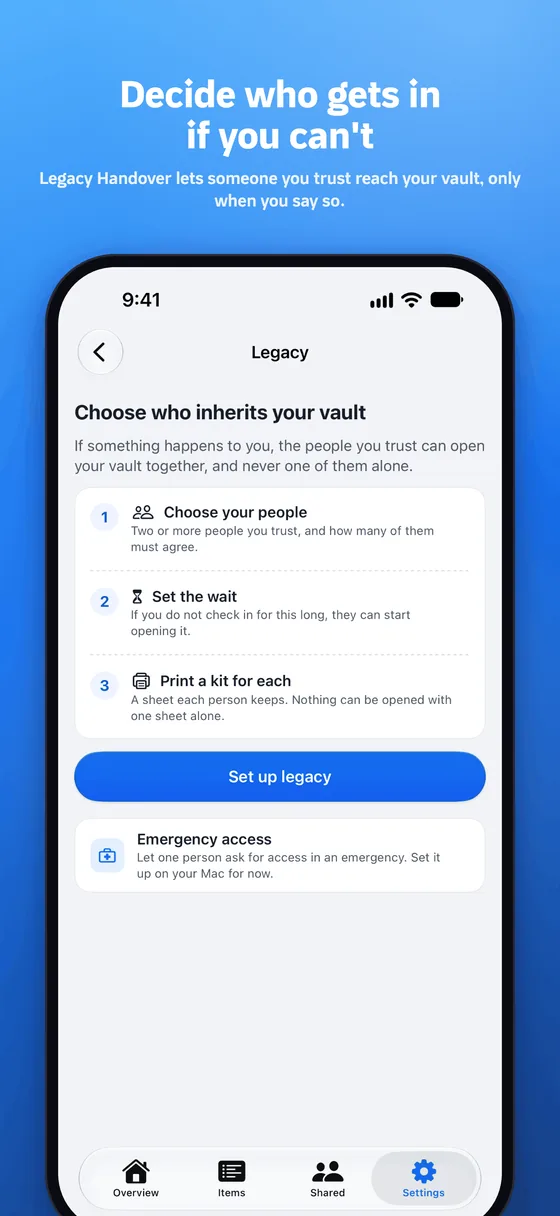
Choose who can reach your vault if something happens to you, and how many must agree. They wait the period you set, and you can refuse while you are here.
Safari and apps on iPhone, iPad and Mac, plus an extension for Chrome, Brave, Edge, Firefox and Safari on the Mac.
Two-factor codes in their own tab and next to the login they belong to, with a widget for the ones you use daily.
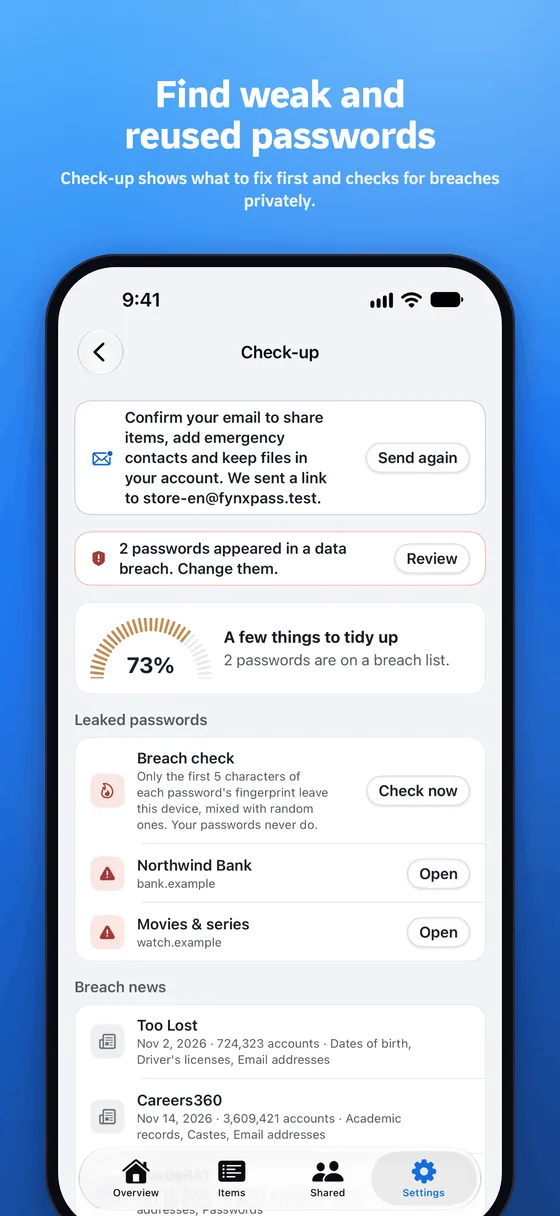
Finds weak, reused and breached passwords and tells you what to fix first.
Share a secret by a link that expires.
For family and team, with read-only or full access.
A duress password opens a decoy vault, travel mode removes chosen vaults from a device, and a panic wipe clears it.
Your vault opens without a connection and syncs when you are back.
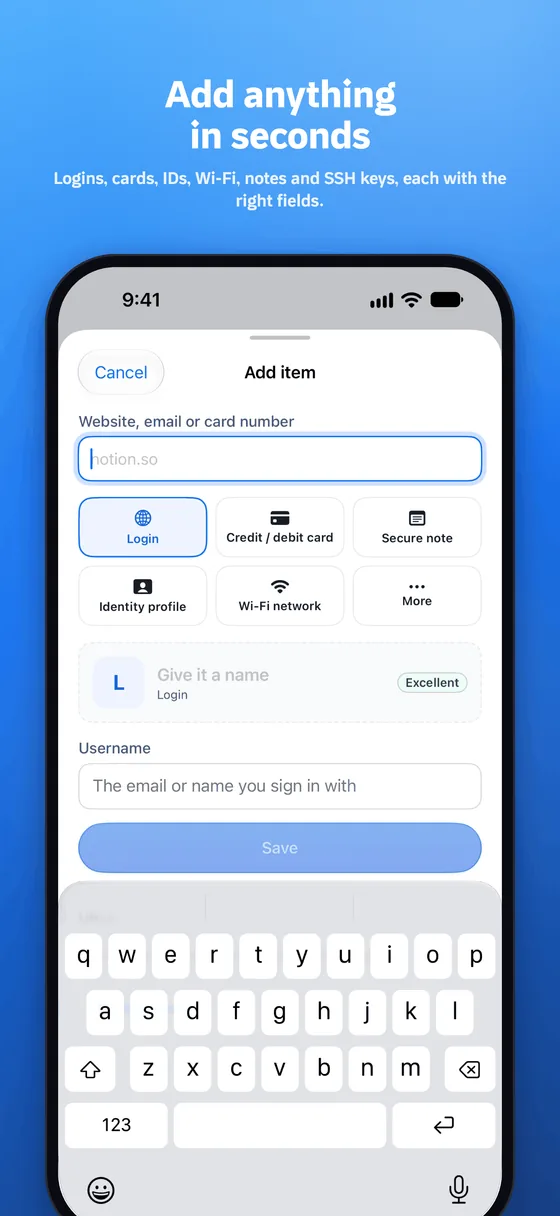
Logins, cards, bank accounts, identities, secure notes, SSH keys and attachments.
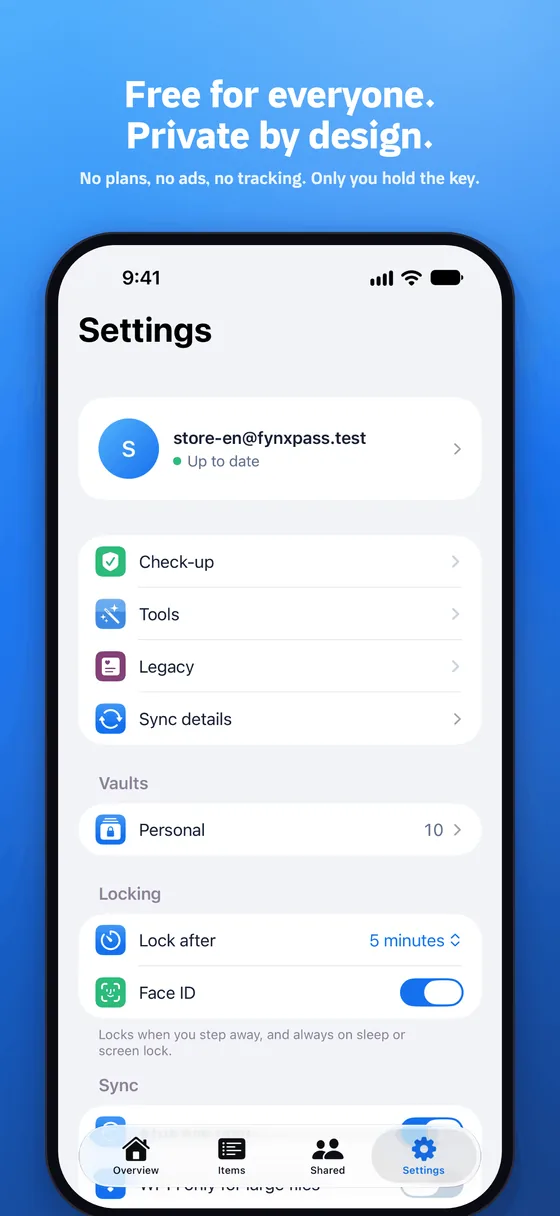
No paid plans, no locked features. If you like it, buy us a coffee inside the app.
Every request to iFynx answers one question: what plaintext can the server see? The answer has to be none.
Your master password turns into keys here, and your items are sealed here.
Argon2id → HKDF-SHA-512Stores sealed items and public keys. It cannot open them, and there is no backdoor.
AES-256-GCM · X25519Only the people you choose, and only when your plan says so.
Ed25519 · ShamirThe same vault, in English or Arabic, on every Apple screen you own.
Swipe to see more →
Free for everyone. No paid plans, no locked features.
Free on the App Store.
Coming soon to the Mac App Store.
Works with the FynxPass app on the Mac.
The Chrome Web Store also serves Brave, Edge, Arc and Vivaldi. Safari comes with the Mac app. Opera: coming soon.
Yes. FynxPass has no paid plans and no locked features. The only purchase is an optional coffee tip inside the app, and it unlocks nothing.
No. Your vault is encrypted with keys only you hold, and the master password never leaves your device. If both your master password and your Recovery Kit are lost, nobody can recover the vault, including us.
On the lock screen, choose to use your Recovery Kit, then enter your email and the key printed on your kit. You choose a new master password and the old kit stops working.
You choose who should inherit your vault and how many of them must agree. If you stop checking in, they are told after the waiting period you set, and you can refuse at any time while you are here. It is a technical handover, not a legal will.
iPhone and iPad today, with AutoFill in Safari and apps. The Mac app is coming to the Mac App Store. The browser extension works with the Mac app in Chrome, Brave, Edge, Arc, Vivaldi, Firefox and Safari; Opera is coming.
From the Chrome Web Store for Chrome, Brave, Edge, Arc and Vivaldi, and from Firefox Add-ons for Firefox. Safari needs no download: its extension comes with the Mac app. The extension keeps no passwords. It asks the FynxPass app on your Mac, which answers only while it is unlocked.
FynxPass is free on the App Store for iPhone and iPad. The download section on this page has every link.
Free on the App Store for iPhone and iPad. No plans, no locked features.
 FynxFamilyYour family's own private app: tree, news, fund.
 FynxTVIPTV & M3U player for every Apple screen, and more soon.
 FynxDocsPDF and photos to Word, with Arabic OCR on device.
We design and build apps like this one for companies in the Gulf, Egypt and Palestine: Arabic first, private by design, on iPhone, Android and the web.