The digital systems we craft are made to evolve, engineered for performance, designed for change.
All servicesFynxDocs | PDF to Word & OCR, on device
Turn any PDF, scan or photo into an editable Word file that keeps its layout. Arabic first, 36 languages, free, and nothing leaves your device.

- iPhone
- iPad
- Mac
- Apple Vision
- Free
- Client
- iFynx
- Country
- Palestine
- Service
- Apple apps
- Year
- 2026
- Free
- 100%
- Languages
- 36
- Apple privacy label
- Not collected
- Download size
- 7.4 MB
- Released 2 Nov 2026
- 2.0.0
Overview
FynxDocs is iFynx's own document app for iPhone, iPad, Mac and Apple Vision. It reads locked PDFs, scanned pages and photos, and gives back a Word file, a searchable PDF, Markdown or text, with headings, tables and right-to-left order intact. Recognition, summaries and translation all run on the device: no account, no server, no tracking.
The problem
Tools that promise Arabic OCR often scramble right-to-left text, drop tables, and upload private files to someone else's server. The page gets retyped by hand.
From a page to an editable Word file
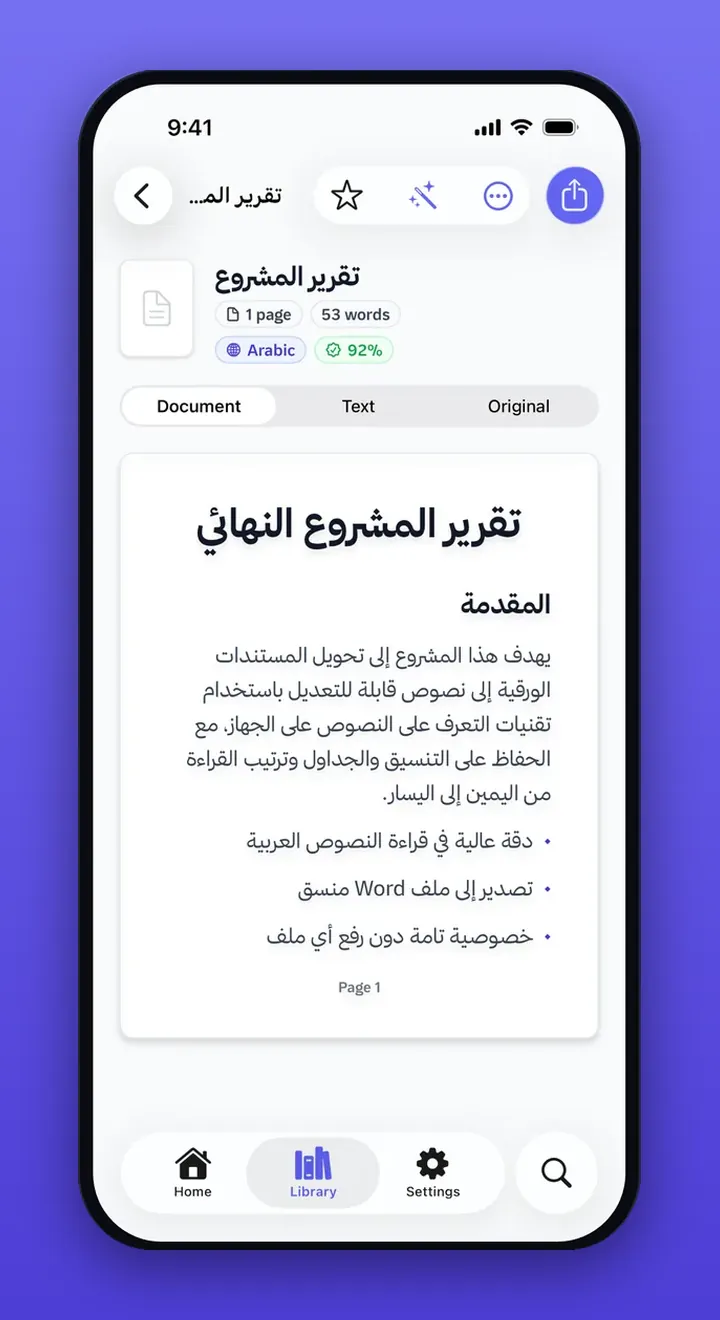
The reader keeps the Arabic in reading order. Export writes Word with the layout still in place.
The pageReady for Word
What we built
Layout that survives
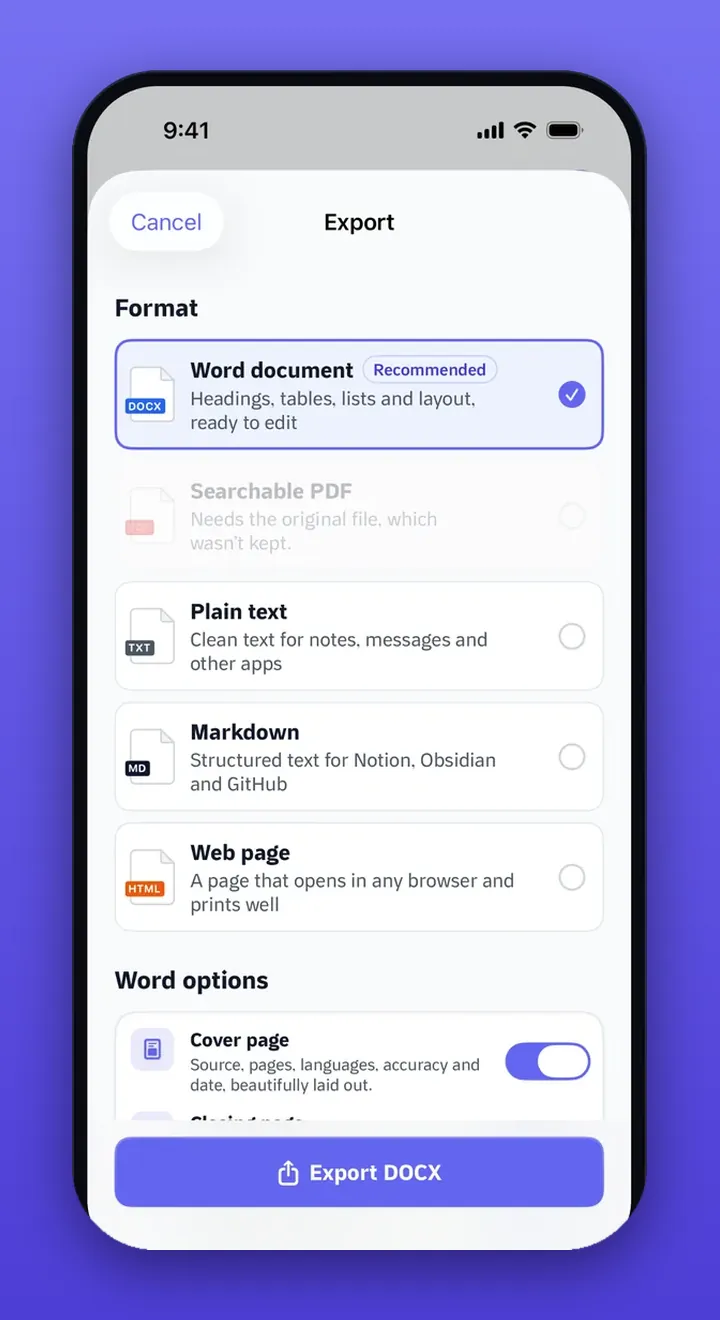
Headings, lists, tables and columns come out in reading order, ready to edit in Word. Plain text, Markdown, a web page and a searchable PDF are there too, plus a cover page with the export details.
Arabic first
Right-to-left documents stay right to left. The interface itself is offered in 36 languages.
Private by design
Recognition, Apple Intelligence summaries and questions, and translation run on the device. Apple's App Store privacy label reads Data Not Collected.
Start it and walk away
Long files convert in the background, with a notification when they are done. Siri, Shortcuts and Spotlight can open the same actions.
One library, every device
Folders, favorites and search. Optional sync goes through your own private iCloud, and it can stay off.
What leaves your device
Nothing.
Recognition, summaries and translation run on the iPhone, iPad or Mac in front of you. There is no iFynx account and no iFynx server on the path.
- Your device
The scan, the PDF and the photo stay here. Recognition runs on the device.
- No server
Nothing is uploaded to iFynx. Apple's privacy label reads Data Not Collected.
- You
A Word file, a searchable PDF, Markdown or text. Ready to edit, and still yours.
Stack
Swift and SwiftUI on iOS, iPadOS, macOS and visionOS. On-device text recognition, Apple Intelligence for summaries and questions, the Translation framework, App Intents for Siri and Shortcuts, Core Spotlight, background conversion, and CloudKit when someone chooses to sync through their own iCloud. There is no iFynx account and no iFynx server.
What changes
A page that used to mean retyping can become a Word file while the Arabic still reads the right way, and without the file ever leaving the device.
A contract, a lecture, a handwritten page: the layout is the work, and it survives.
The file stays on the device. Apple's privacy label reads Data Not Collected.
Right-to-left order is what the app was designed around, in an interface offered in 36 languages.
The download costs nothing. People it helps can leave an optional tip inside the app.
Questions
Is FynxDocs free?
Yes. FynxDocs is free to download and use on the App Store. There is no account to create. If it helps you, an optional tip called Buy Me a Coffee is available inside the app.
Does it send my files to a server?
No. Text recognition, export, summaries and translation run on the device. FynxDocs has no iFynx account and no iFynx server. Apple's App Store privacy label reads Data Not Collected. Optional iCloud sync uses your own private iCloud, and you can leave it off.
Will Arabic documents stay right to left?
Arabic is the language FynxDocs was built around. Headings, lists, tables and reading order stay in place, and the interface itself is available in 36 languages, Arabic included.
Which Apple devices run it?
iPhone and iPad on iOS 18 and iPadOS 18 or later, Mac on macOS 15 or later, and Apple Vision. Version 2.0.0 was released on 2 November 2026. The download is about 7.4 MB.
Paper to text. On your device.
Free on the App Store. The product page and support live with the app.