SUPPLY-CHAIN BREACH · INFOBLOX · CHECKED 09:00 ASIA/GAZA, 18 NOV 2026
Infoblox, whose DNS and DHCP systems run inside many banks, telecoms and ministries, confirmed on 16 November 2026 that attackers stole internal files through a hacked data migration vendor. Reports say the files include some customers’ NIOS configuration snapshots, a detailed map of their DNS and network setup, plus employees’ financial and identity data. Infoblox says its products and updates were not involved.
Sources: TechCrunch and The Register. If your organization runs Infoblox, ask your account team today whether your snapshots were taken, and rotate the secrets in your Grid as a precaution.
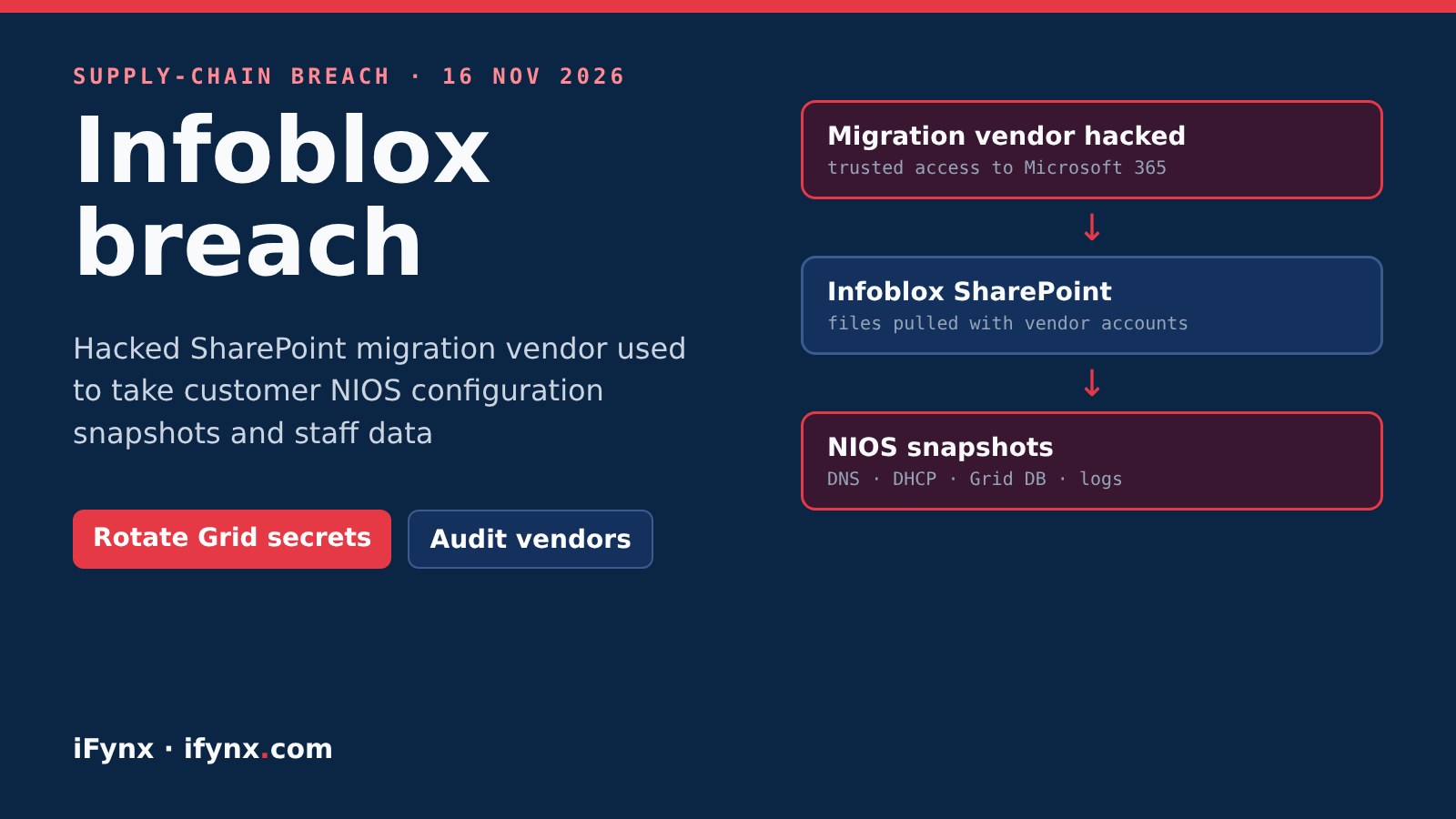
At iFynx we build and secure web platforms for banks, fintechs and government-facing teams in the UAE, Saudi Arabia, Egypt and Palestine. Infoblox is common in exactly those networks, so this breach is worth an hour of your network team’s time this week, even if your company is never named. Below: the confirmed facts, what is still unknown, and a checklist for Infoblox customers and for anyone who lets vendors into Microsoft 365.
Infoblox breach: key facts
| Point | What we know |
|---|---|
| Company | Infoblox, a US maker of DNS, DHCP and IP address management (DDI) systems used by banks, telecoms and governments |
| Confirmed | 16 November 2026, by an Infoblox spokesperson |
| Entry point | A compromised third-party data migration vendor (not named), reportedly doing SharePoint migration work |
| How | Vendor accounts with trusted access used to pull files from Infoblox’s Microsoft SharePoint (per sources) |
| Customer data | NIOS configuration snapshots for some customers: DNS/DHCP config, Grid databases, reporting logs |
| Employee data | Direct deposit details, contact info, dates of birth, Social Security numbers (staff and dependents) |
| Products hit? | No indication so far, Infoblox says: products, cloud, updates and build process not involved |
| Unknown | Number of customers affected, the vendor’s name, whether attackers made demands |
Why a NIOS snapshot matters
A NIOS snapshot is a backup that can rebuild an Infoblox appliance or a whole Grid. In plain terms, it describes how your organization’s network finds things: internal domain names, server names, IP ranges and DHCP scopes. Even without passwords, that is a ready-made map for an attacker planning a targeted intrusion or a convincing phishing campaign against your IT staff. That is why the fix is not only technical: your service desk should know about it too.
Confirmed vs reported: Infoblox confirmed unauthorized access through a vendor and said its products were not involved. The SharePoint route, the NIOS snapshots and the employee data come from people with knowledge of the incident and a CEO email seen by The Register. Infoblox has not said how many customers are affected. We will update this page when it does.
What Infoblox customers should do now
The bigger lesson: vendors inside your Microsoft 365
This is the third vendor-route breach we have covered in a week, after the Optimizely supply-chain attack on 178 brands and the Coinone breach through a support contractor. Migration projects are especially risky: a vendor gets wide read access to SharePoint for weeks, and the account is often forgotten afterwards. Run this check on your own tenant:
Microsoft 365 vendor-access checklist
Why this matters in the UAE, Saudi Arabia and Egypt
DDI platforms such as Infoblox are widely used by large banks, telecom operators and government entities in the region, often bought through local integrators who also hold admin access. Regulators expect third-party risk to be managed: the UAE’s information assurance standards, Saudi Arabia’s NCA controls and SAMA’s cyber framework, and Egypt’s Law 151 of 2020 on personal data all treat suppliers as part of your own security. “The vendor was hacked” will not be accepted as an answer if your network map leaks and is then used against you.
How iFynx can help
iFynx builds and secures platforms in Arabic and English for the UAE, Saudi Arabia, Egypt and Palestine. We can:
- Review vendor and guest access across your Microsoft 365, SharePoint and cloud accounts
- Set up alerts for mass downloads and unusual vendor sign-ins
- Write a short third-party access policy your integrators can actually follow
Frequently asked questions
What happened at Infoblox?
On 16 November 2026 Infoblox confirmed it is investigating unauthorized access to certain company information. It says the access came through a compromised third-party data migration vendor. TechCrunch and The Register report, citing people with knowledge of the incident, that the vendor did SharePoint migration work and that its accounts were used to pull files from Infoblox’s Microsoft SharePoint.
What customer data was taken?
The Register reports that the files included configuration data for some customers’ NIOS deployments: NIOS snapshots, which hold DNS and DHCP configuration, Grid databases and reporting logs and can be used to fully restore an appliance or Grid. Infoblox has not said how many customers are affected.
Were Infoblox products or updates compromised?
Infoblox says that, based on its investigation so far, it has no indication that any Infoblox products, cloud services, software updates or build-and-release processes were involved. This was a data theft from internal files, not a reported backdoor in NIOS or BloxOne.
Were passwords exposed?
Infoblox has not published a list of what each snapshot contained. Security Affairs reports that no passwords or login credentials were included. Because a NIOS backup can carry keys and settings depending on how it was taken, we recommend you treat any secret that lived in your Grid configuration as possibly exposed until Infoblox tells you otherwise.
Was employee data stolen too?
Yes, according to a CEO email seen by The Register: direct deposit details, contact information, dates of birth and Social Security numbers of employees and their dependents. Staff were offered two years of credit monitoring and identity protection. This mainly affects US staff.
What should Infoblox customers in the UAE, Saudi Arabia and Egypt do?
Ask your Infoblox account team in writing whether your snapshots were in the stolen files. Meanwhile rotate secrets stored in your Grid (TSIG keys, API and SNMP credentials, local admin passwords), review who can reach your Grid Master, and expect targeted phishing that uses your real network names. Then audit every vendor that has access to your Microsoft 365 and SharePoint.
Sources
- TechCrunch: Infoblox confirms security incident after hackers access company information (16 Nov 2026)
- The Register: Infoblox customer and staff data exposed in SharePoint breach (16 Nov 2026)
- Security Affairs: Infoblox confirms supply chain breach (17 Nov 2026)